Service Management - Key Features

Rental Management simplifies every stage of rental Contract management—from creating agreements to finalizing returns—helping your organization deliver accurate terms, timely deliveries, and a smooth customer experience. With tools that reduce manual effort and ensure billing and documentation stay consistent, Rental Management keeps rental operations organized and efficient.

Key Features:

  • Preventative Maintenance: Schedule routine service tasks and Inspections to minimize unexpected downtime.

  • Work Order Management: Create, track, and complete Work Orders.

  • Service History: Maintain comprehensive records of past repairs, Inspections, and maintenance activity.

  • Maintenance Notifications: Receive alerts for upcoming service, Inspections, or overdue tasks.

  • Parts Integration: Track required parts and link service activity to inventory for accurate usage and replenishment.

  • Digital Inspections: Capture pre- and post-rental Inspection details through digital forms for thorough, consistent equipment checks.

With digital Inspections, your organization can modernize and streamline the way you assess asset condition, replacing paper checklists with digital forms that guide Drivers, Mechanics, and warehouse staff through consistent, accurate Inspections. 

With configurable forms, photo and signature capture, and automatic recordkeeping, Inspections help your teams minimize disputes, improve safety, and maintain complete visibility into asset health.

Key Features:
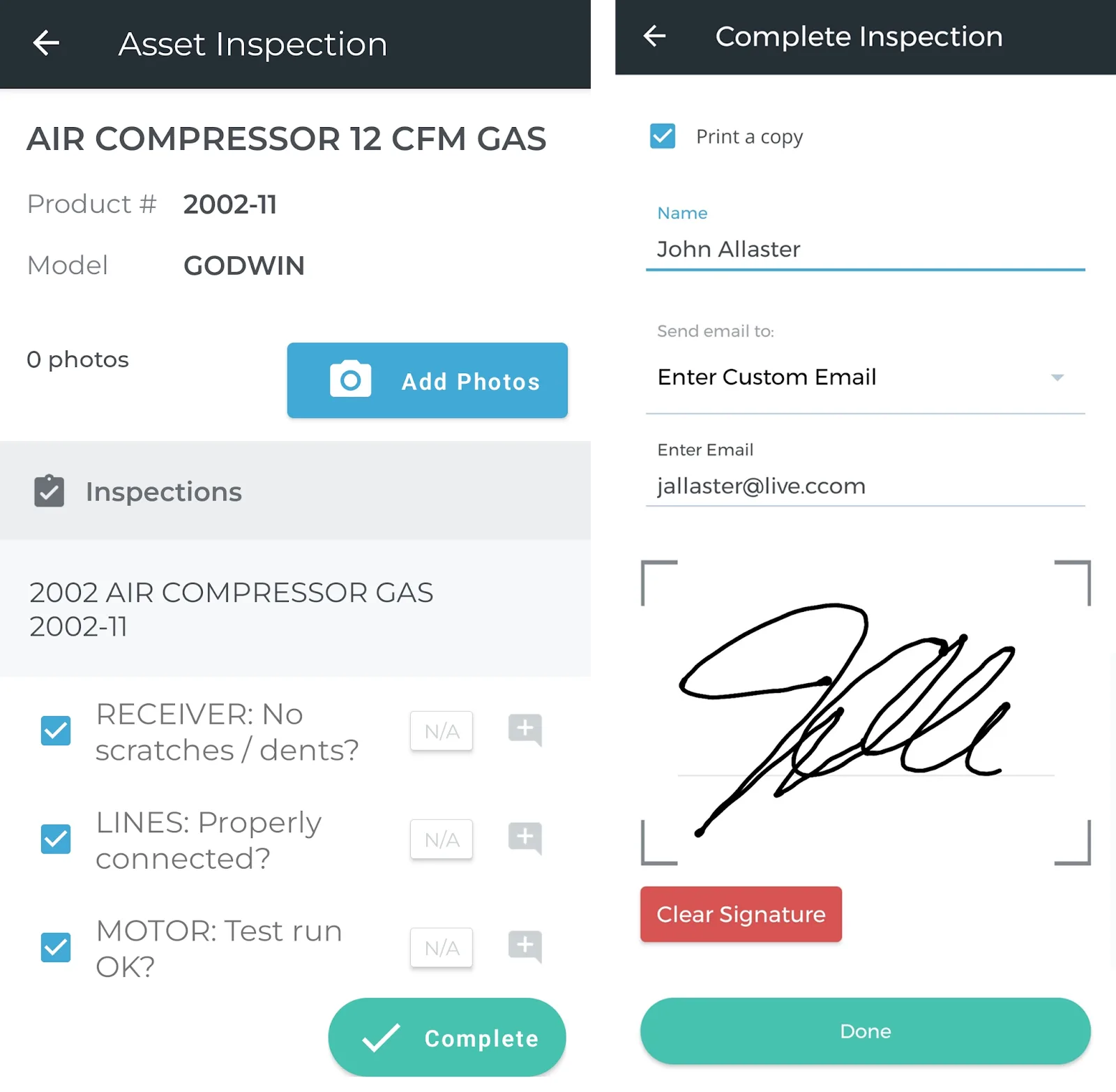
  • Digital Forms: Use customizable checklists for equipment check-in, check-out, Work Order, and standalone Inspections.

  • Photo & Signature Capture: Take pictures, record notes, and capture digital signatures in the field.

  • Inspection Types: Support for Work Order, Ticket (Pickup/Delivery), and standalone Inspections to fit every operational workflow.

  • Automatic Recordkeeping: Completed Inspections are stored with the related Work Order, Ticket, or asset for full historical visibility.

  • Model-Based Forms: Automatically apply the correct Inspection forms based on asset model or product group for consistent, relevant checks.

  • Operational Transparency: Real-time sharing between Service, Rental, and Financials (Classic), (Next), and Mobile reduces errors, eliminates manual transcription, and speeds communication.

Order Entry in Service Management (Classic) streamlines how you create, track, and fulfill sales orders—from capturing initial requests to issuing picking tickets, managing backorders, and generating invoices. 

Featuring support for organizations with higher order volume, multiple order-taking staff, and workflows that require accurate inventory checks, deposits, and coordinated fulfillment, Order Entry helps your teams stay organized and responsive.

Key Features:

  • Sales Order Creation: Record customer orders quickly, including deposits, billing details, shipping information, and requested delivery dates.

  • Picking Tickets: Generate picking tickets to guide warehouse staff in assembling orders and documenting quantities shipped or backordered.

  • Backorder Management: Track unavailable items, update quantities, and maintain visibility into outstanding product requirements.

  • Order Billing: Convert fulfilled orders into Invoices with deposit application, corrections, and reprinting options as needed.

  • Returns & Credits: Enter negative quantities to return goods to stock and generate credit Invoices efficiently.

  • PO Generation: Create linked purchase orders from sales orders, including drop-ship options that automatically fill and Invoice upon vendor receipt.

  • Integrated Controls: Leverage division, location, tax, credit, and customer-specific settings for accurate pricing, availability, and compliance.

A customer-owned asset is a piece of equipment that is owned by one of your customers instead of your organization. By registering their own equipment in your system, your customers can submit service requests for their equipment on a self-serve basis without affecting your organization’s inventory numbers.
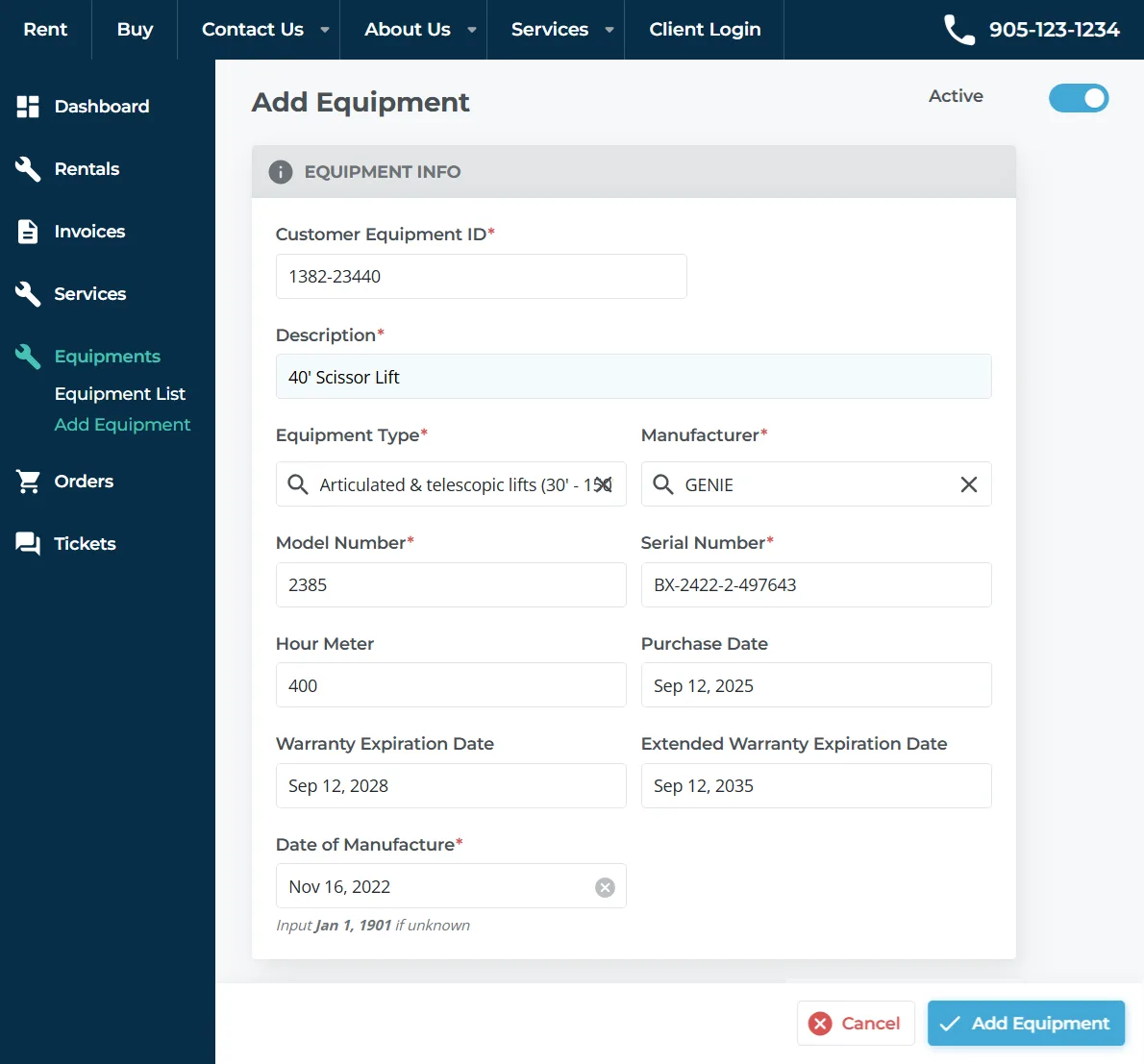
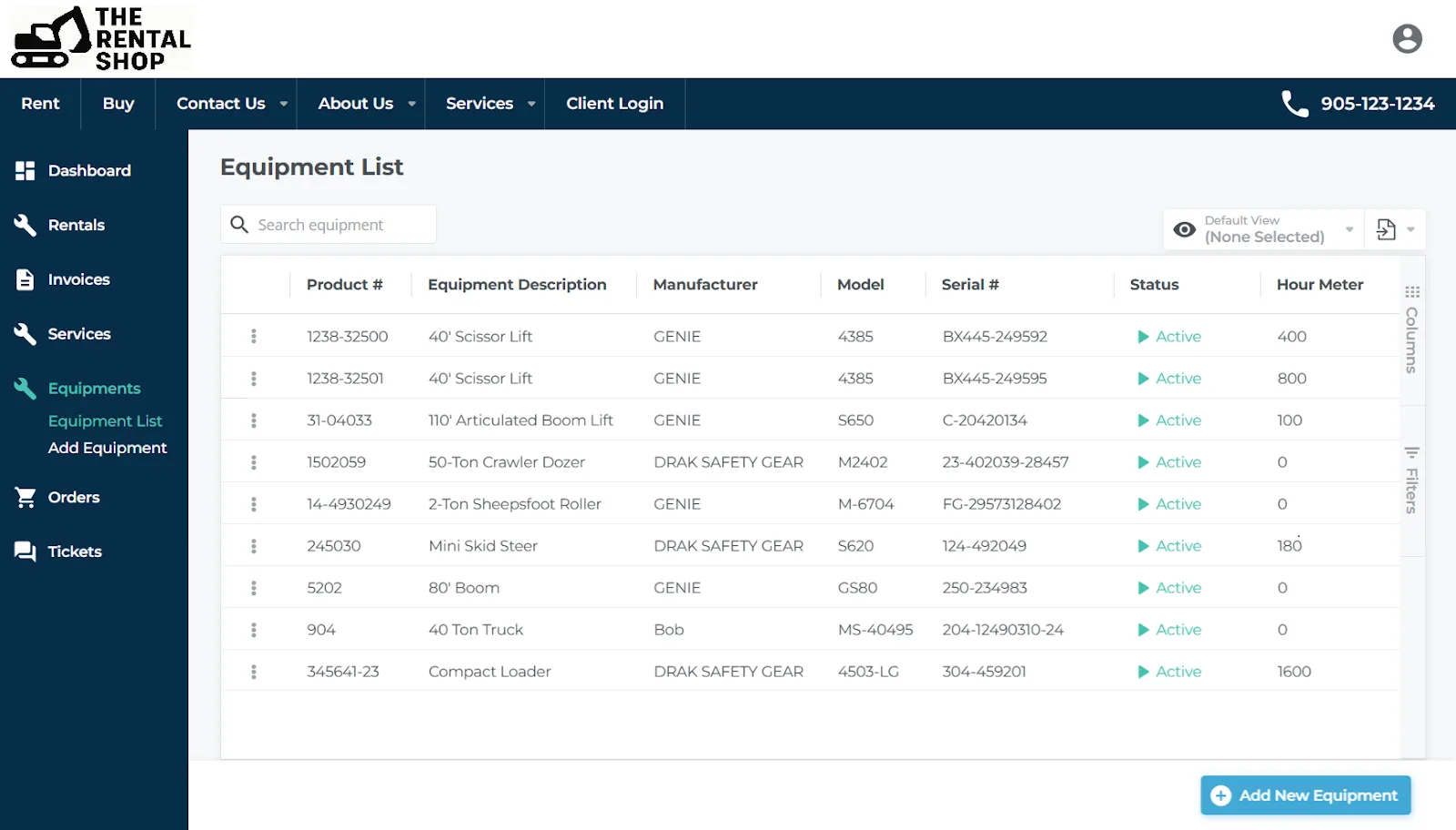
  • Add Customer-Owned Equipment: Using the Add Equipment form on the E-Commerce Customer Access Portal, customers can register equipment in your system without any input from your staff. Your staff can also register equipment on your customers’ behalf!


  • Track Customer-Owned Equipment: Service Management offers two views for tracking customer-owned Equipment: for customers, the Equipment List in the Customer Access Portal; and for your staff, the Customer Owned Asset List in Service Management (Next).


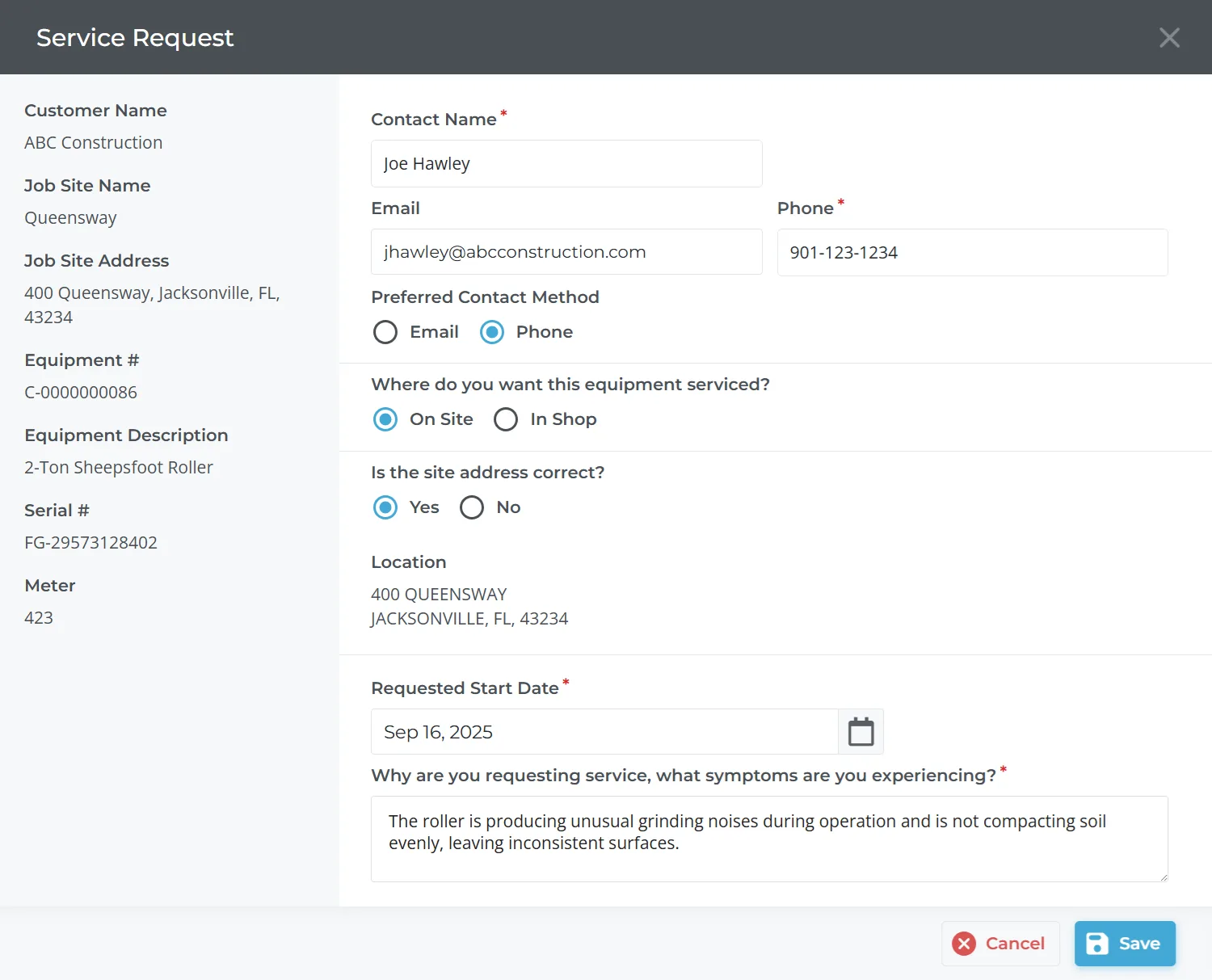
  • Receive Service Requests: Once their equipment is registered in your system, customers can use the Service Request form to easily submit service requests through the Customer Access Portal. This powerful feature unlocks new revenue opportunities by allowing service requests to come to you!

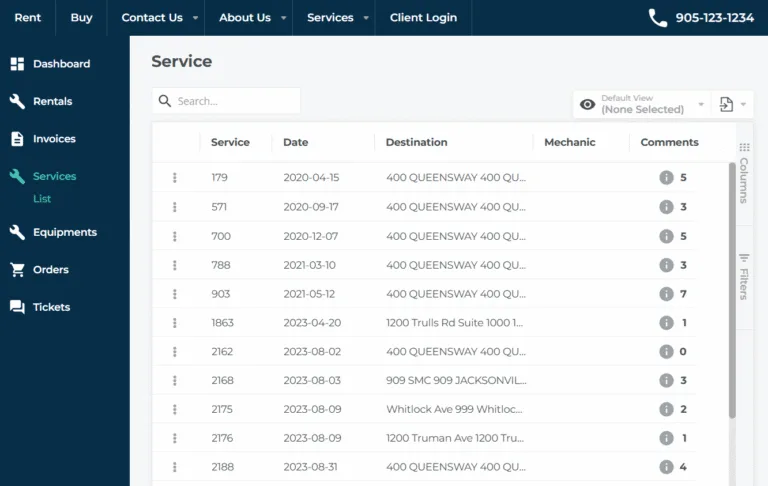
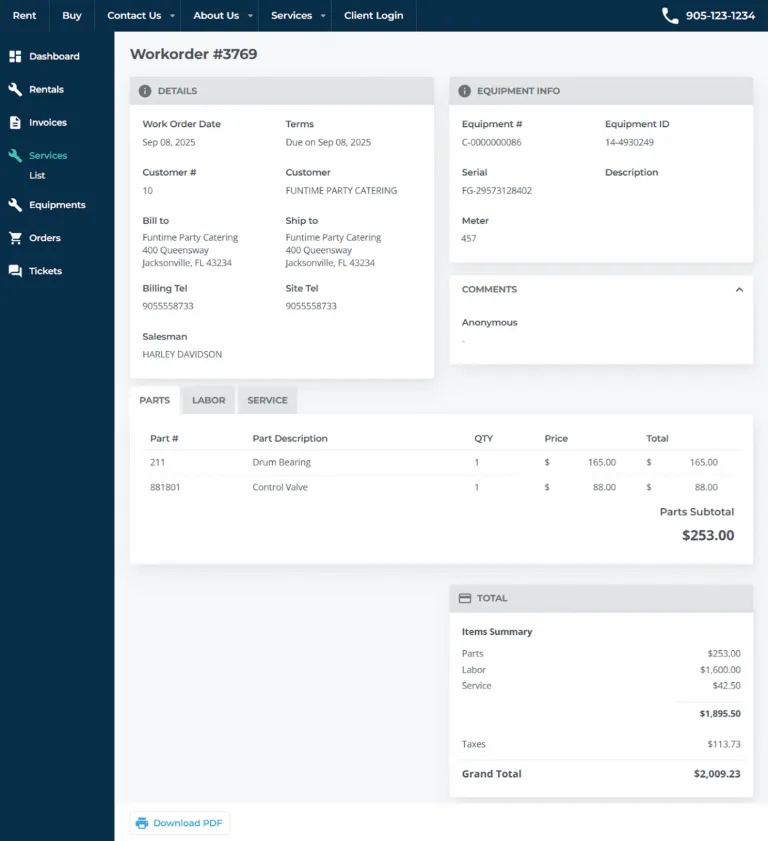
The Service List page in the E-Commerce Customer Access Portal allows your customers to browse service requests for both rented and customer-owned equipment. They can search the list of Work Orders, and drill down into a specific Work Order to view more detailed information.

When viewing a Work Order’s details, customers can review line items, totals, comments left by the Mechanic or by other members of your team, and download a PDF copy of the Work Order.

By giving your customers a self-serve option for reviewing and print old Work Orders, the Service List page further reduces the workload on your support staff!
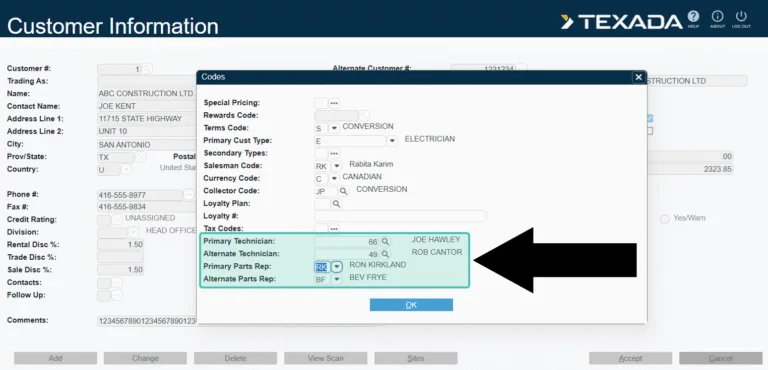
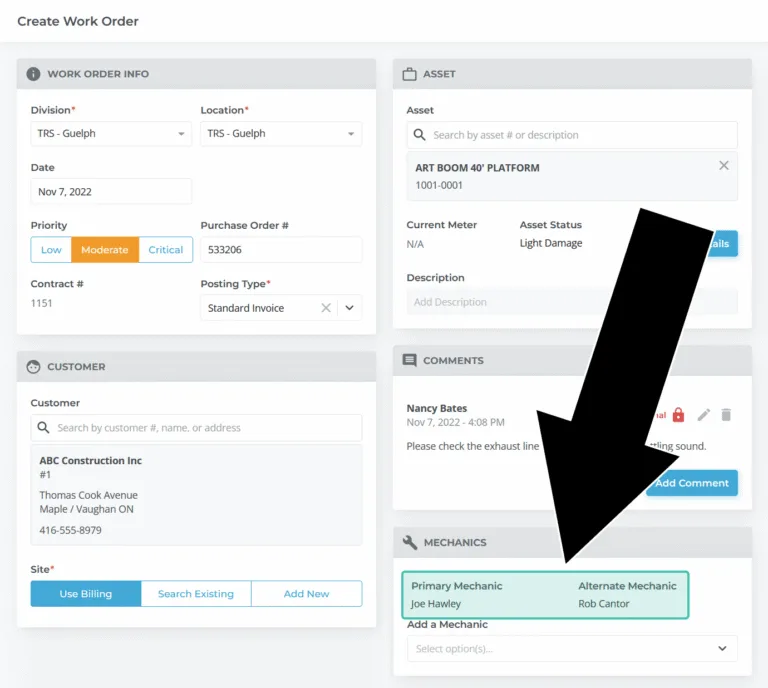
When managing Customers in Service Management (Classic), you will have the opportunity to set up to 2 default Technicians (Mechanics) and Parts Reps for each customer. These selections will then be visible in other areas of the system, such as when creating Work Orders or Sales Orders for that customer.

When creating a Work Order for a customer with a default Mechanic, that Mechanic will be selected by default.

If your organization is in the habit of assigning Mechanics to customers based on familiarity or geographic location, this small but powerful feature will free your staff from the obligation of remembering which Mechanics are associated with each customer!