Service Management, Rental Management, and Financials (Next) represents the next generation of Service, Rental, and Financials software. Offering a subset of Service, Rental, and Financials (Classic)’s functionality with an emphasis on counter operations, Service, Rental, and Financials (Next) features a sleek, modern user interface and several exclusive features and dashboards.
Service, Rental, and Financials (Next) is designed to be lightweight, portable, and user-friendly, making it the perfect tool for dispatchers and counter staff who want to manage Contracts, Tickets, Work Orders, Returns, and more.
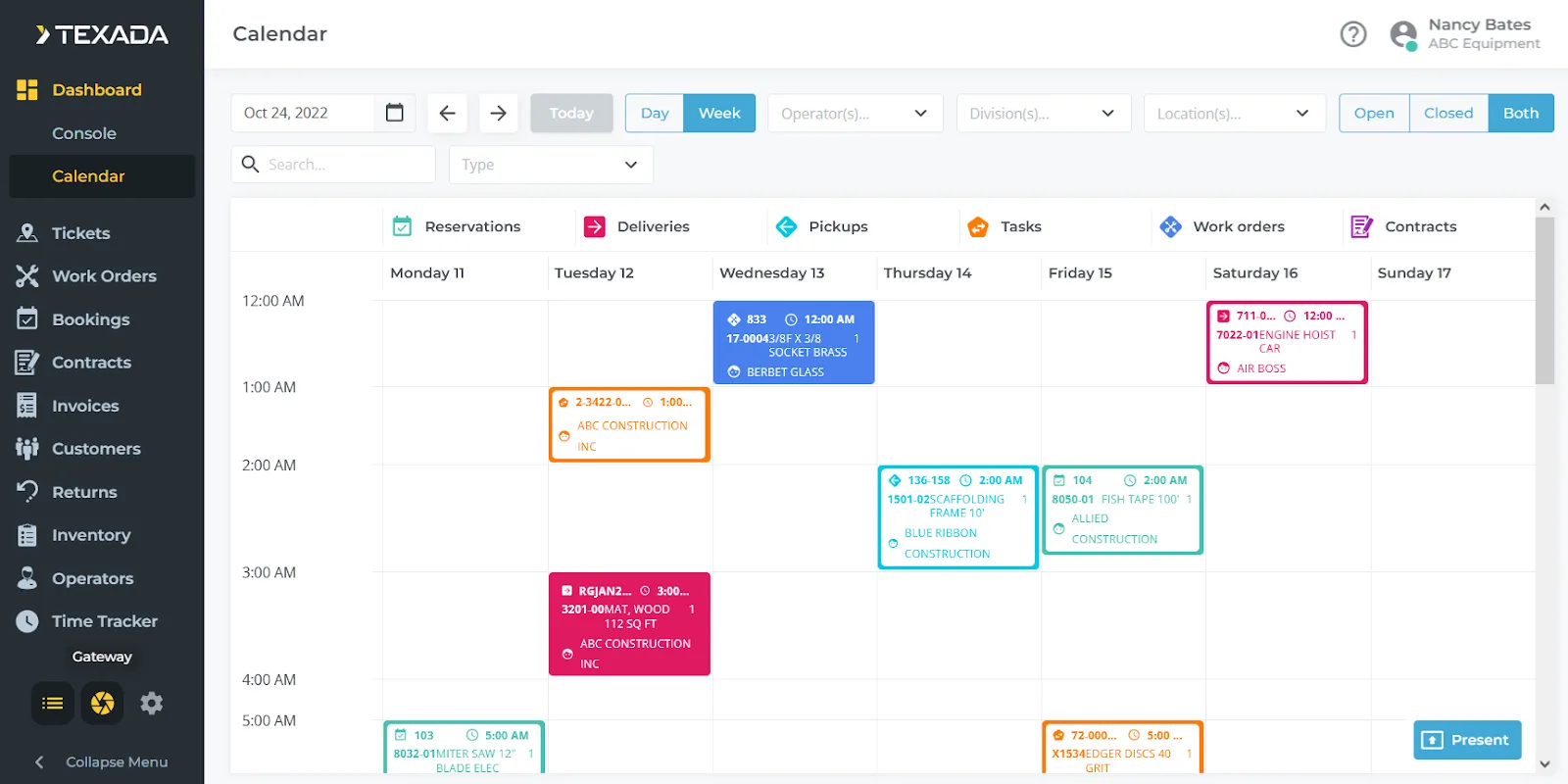
Service, Rental, and Financials (Next)’s home page is the Dashboard Console, which provides at-a-glance information about changes occurring in the system, and allows you to quickly launch utilities such as the Dashboard Calendar and the Rental Board.
Like Service, Rental, and Financials (Classic), Next’s main menu can be found on the left side of the screen, with functions organized by business areas such as Contracts, Work Orders, and Invoices.
Contains the Dashboard Console and the Dashboard Calendar, tools that give you high-level overviews of what’s happening at your organization. The Dashboard Calendar is covered in the following section!
Create Pickup and Delivery Tickets for moving assets between locations. Browse Tickets in list or map view, and use the scheduler to assign Tickets to Drivers for completion.
Create and manage Work Orders and Work Order Estimates. Use the Work Order Scheduling page to assign Work Orders to Mechanics.
Manage Quotes and Reservations. Convert Quotes into full rental Contracts.
Create and manage rental Contracts. This menu also contains the Contract Calendar, a dashboard that allows you to view equipment rental periods in an intuitive, visual way.
Create and manage Invoices. Email Invoices to clients, as well as record payments made against them. If your organization uses Payments, you can also process card payments directly from Service, Rental, and Financials (Next).
Manage customers, including job site and contact information.
Process Rental Returns.
Manage your organization’s equipment inventory, including rental and sales assets. By registering customer-owned assets, you can perform Work Orders on equipment owned by your clientele. You can also review parts requested by your Mechanics via the Requested Parts screen.
This menu contains options for managing Drivers – members of your staff responsible for completing Tickets – and Mechanics, who are responsible for completing Work Orders. View each Driver and Mechanic’s work history, as well as their logged labor hours via the Time Tracker.

The Dashboard Calendar provides a unified, color-coded view of all Reservations, Contracts, Work Orders, and Tickets across your business. With flexible filters for day or week view, division, location, document type, and more, your team can instantly see what’s happening today and what’s coming next. This visual snapshot keeps everyone aligned and helps your staff stay ahead of daily commitments.
Present mode transforms the calendar into a full-screen, automatically-scrolling display—perfect for mounting on a monitor in your office. With a single click, you can give your entire team at-a-glance visibility into the day’s workload, upcoming jobs, and operational priorities.
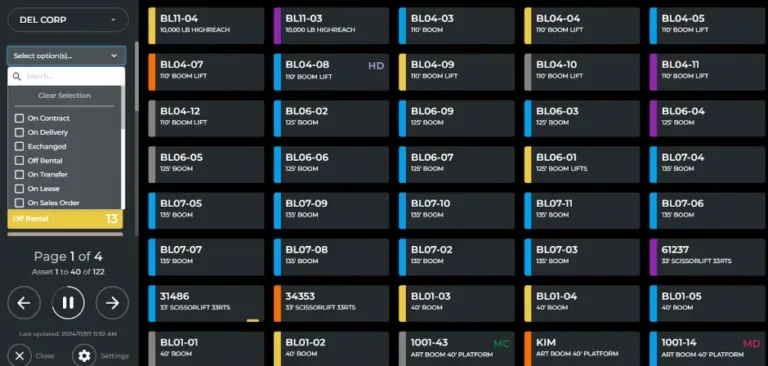
The Rental Board is a state-of-the-art digital dashboard exclusive to Service, Rental, Financials (Next), providing a visual overview of all assets in your system. This feature allows you to create full-screen presentations displaying the current status of each asset, making it easy to see at a glance which assets are available, in use, or undergoing maintenance.
The Rental Board is fully customizable to meet your specific needs, giving you control over how assets are organized and displayed. This tool streamlines asset management, providing quick insights to support efficient operations and informed decision-making.
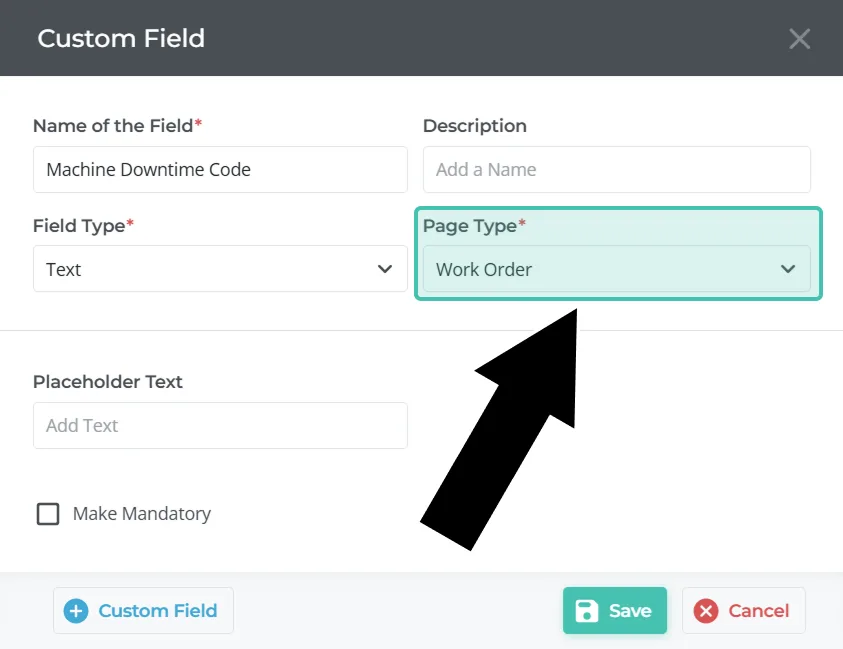
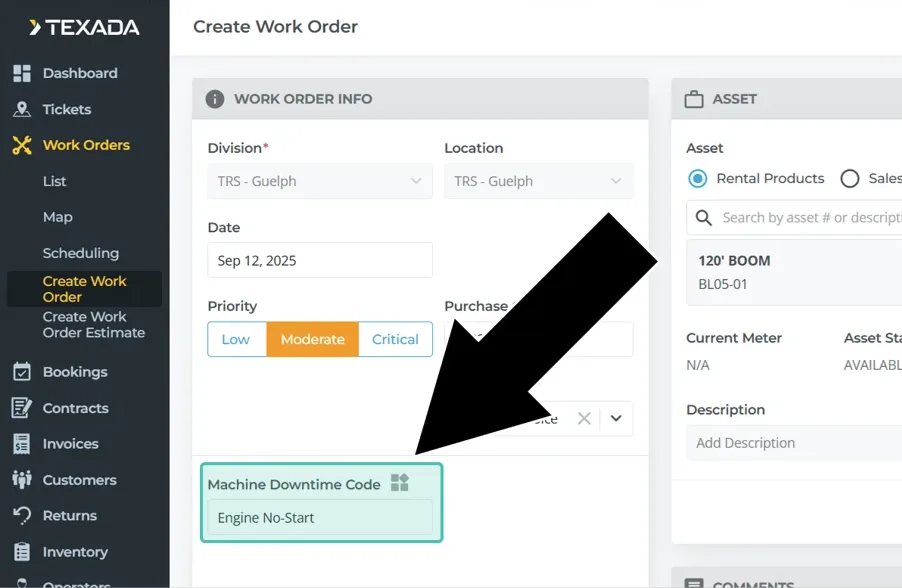
Exclusive to Service, Rental, and Financials (Next), custom fields are a powerful feature that allow you to tailor your counter documents to the needs of your organization.
Creating custom fields is easy. Simply enter a name and description, then select a field type (text, multi-select, date, currency, etc.) and the type of document to which the field applies. Custom fields are currently available for Contracts and Work Orders, with support for more document types planned for future releases.
Once you’ve created a custom field, it will appear for all users in both Service, Rental, and Financials (Next) and Mobile. There’s no limit to the number of fields you can add!
Custom fields are just one more way that Service, Rental, and Financials can be modified to work for your company!
Like Service, Rental, and Financials (Classic), Service, Rental, and Financials (Next) features a help button in the top-right corner of the screen that you can use to access help materials anywhere in the application.
Help: Search over a thousand help articles in Texada’s Knowledge Base directly from the application!
Feedback: Access the Texada Idea’s Portal and provide feedback on how we can improve the application. We value your feedback – suggestions made in the ideas portal are regularly incorporated in future releases!

