
SOLUTION COMPARISON
Texada provides a unified platform for heavy equipment dealers seeking a purpose-built CRM that supports dealership operations with minimal customization.
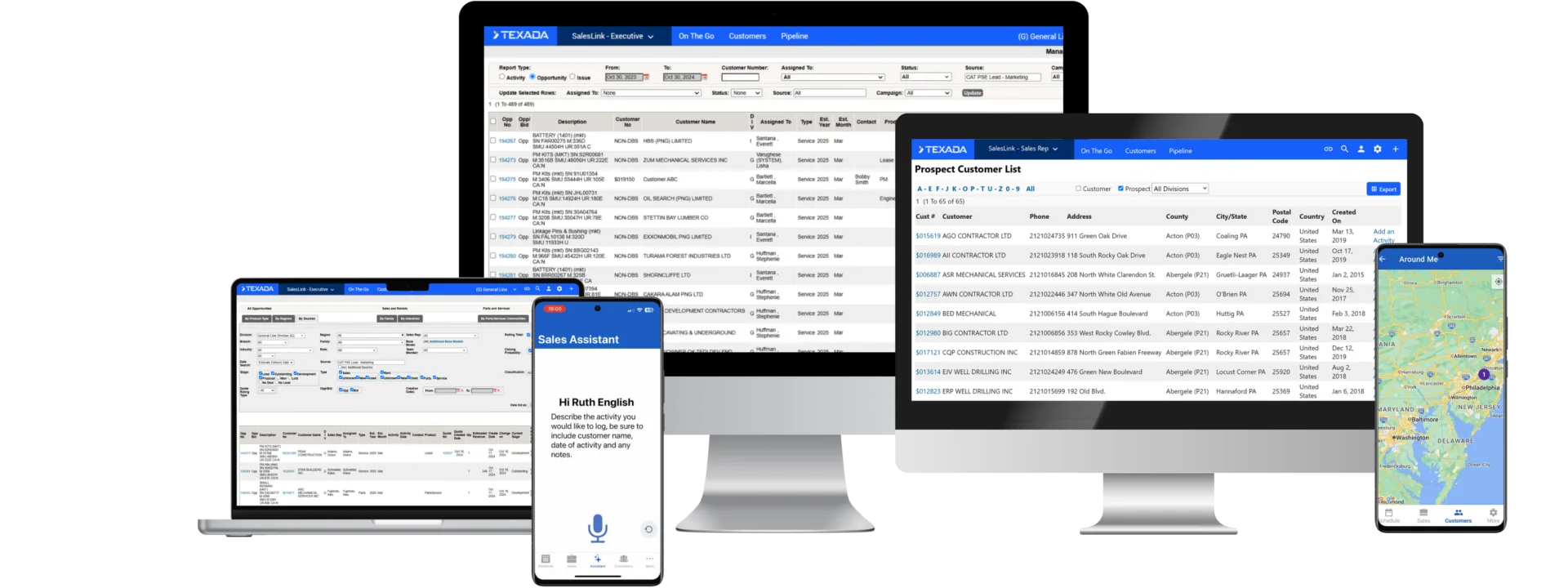
Texada’s CRM is designed specifically for heavy equipment dealers. It provides a unified view of customers and their assets, equipment quoting tools, and workflows tailored to dealership sales and service operations.
Salesforce is a general-purpose CRM platform used by organizations across many industries. While it offers powerful CRM capabilities, equipment dealerships often need additional customization and integrations to support industry-specific workflows.
Quick links:

Texada provides a 360° view of customers and their equipment assets.

Texada supports equipment-based quoting within the CRM.

Texada mobile tools are built to support field sales and service teams.

Texada includes equipment sales workflows out of the box with no additional configuration needed.

Texada is built specifically for heavy equipment dealers.

Salesforce requires configuration to support equipment dealership processes.
How Texada Stands Out
Why It Matters
Texada
Salesforce
Texada includes workflows tailored to equipment sales, service opportunities, and asset lifecycle management.
Industry terminology and workflows
360° customer and equipment asset view
Asset intelligence insights for sales teams
Salesforce serves multiple industries and often requires configuration to support dealership workflows.
Texada connects CRM data with equipment assets and inventory to help sales teams identify sales opportunities and generate quotes quickly.
Equipment-based quoting tools
Asset service history and meter readings
Equipment inventory insights available within the CRM
Quoting and asset workflows typically require additional integrations or configuration.
Texada includes dealer-specific functionality out of the box, reducing implementation complexity and customization requirements.
Dealer workflows built into the platform
Faster deployment timelines
Reduced reliance on third-party implementation partners
Salesforce implementations often involve multiple phases and external vendors to configure integrations and workflows.
Texada includes equipment dealership functionality natively, helping organizations avoid ongoing customization costs.
Built-in equipment CRM functionality
Dealer-specific workflows available out of the box
Predictable platform costs
Salesforce pricing varies by package and may require additional tools and licenses to match dealership workflows.










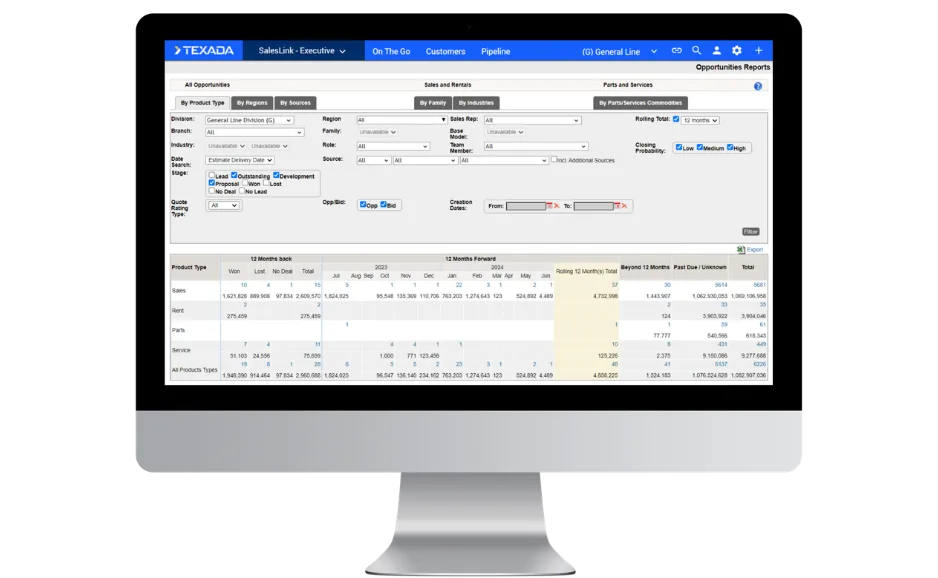
Texada: Texada connects sales opportunities with equipment assets and service insights to help sales teams identify opportunities and forecast deals.
Salesforce: Salesforce provides general CRM pipeline management that may require customization for equipment dealership workflows.
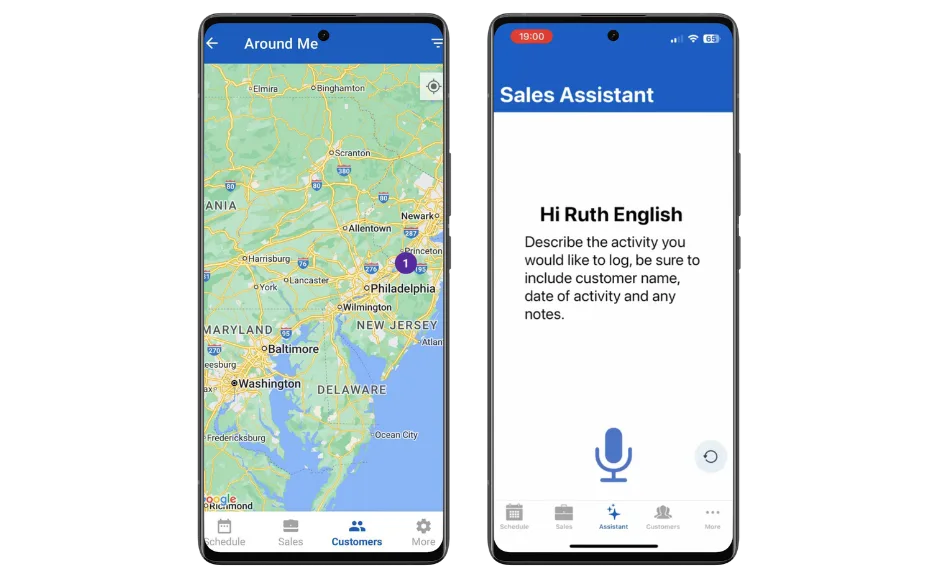
Texada: Texada mobile tools allow field teams to access asset data, service history, and customer information while visiting job sites.
Salesforce: Salesforce offers mobile CRM capabilities designed for general sales workflows.

Texada: Texada surfaces asset lifecycle insights such as service meter readings and equipment usage data.
Salesforce: Salesforce offers AI tools within its CRM platform but requires configuration and integrations to use equipment-specific data.
Texada: Texada connects CRM data with inventory and equipment workflows.
Salesforce: Salesforce typically requires integrations with ERP systems to manage order fulfillment processes.
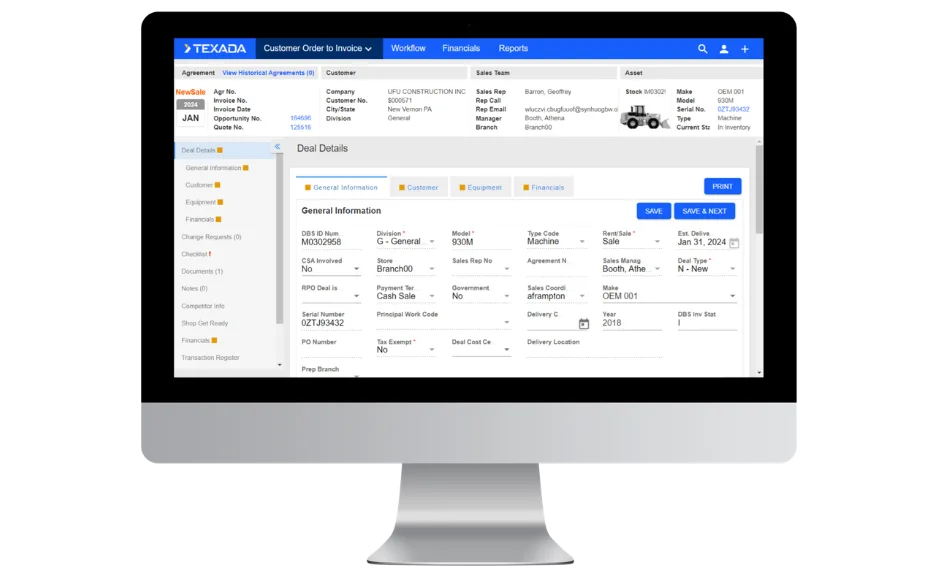

Texada: Texada provides equipment quoting tools designed for dealership workflows.
Salesforce: Equipment quoting typically requires additional configuration or integrations.

Texada connects CRM data with equipment assets and service insights so managers can identify opportunities and forecast revenue more accurately.

Texada mobile tools allow sales reps to quickly view asset details, service history, and opportunity data while on-site with a customers or travelling between locations.

Texada connects service insights with CRM data so dealerships can identify opportunities tied to maintenance cycles and equipment performance.
Marciano Vasquez
Bobcat Central
Texada is built for heavy equipment dealers who want a CRM designed for equipment sales, service, and asset lifecycle management.
See how Texada helps dealership teams unify customer, asset, and opportunity data in one platform.
Texada is built specifically for heavy equipment dealers, with workflows designed around equipment sales, service, and asset lifecycle management.
Salesforce is a general-purpose CRM used across many industries and often requires customization to support dealer-specific processes. Texada provides equipment-focused capabilities out of the box, helping dealers get started faster.
Yes. Texada connects customer profiles with their equipment assets, including service history, usage data, and asset details. This helps sales and service teams identify opportunities tied to equipment lifecycle events.
Salesforce CRM can manage customer relationships but typically requires configuration or integrations to connect asset-specific insights.
Texada includes equipment quoting capabilities designed specifically for dealership sales workflows. Sales teams can generate quotes using equipment and inventory data within the same system.
Salesforce implementations often require additional tools or configuration to support equipment-specific quoting workflows.
Yes. Texada supports integrations with dealership ERP systems and other business tools. These integrations allow customer, equipment, and operational data to move between systems.
Salesforce also supports integrations but often requires additional configuration and implementation phases to connect with ERP platforms.
Texada mobile tools allow technicians and field teams to access customer and equipment information while working remotely.
Service teams can view asset history, service insights, and customer details directly from mobile devices. This helps connect service activity with potential sales opportunities.
Yes. Texada mobile tools are designed for equipment sales and service teams who often work in remote areas. Field teams can capture information and access customer and equipment data while working on-site. Mobile access helps improve productivity for both sales and service teams.
Texada provides dashboards that help dealership teams track sales performance, customer activity, and operational insights. Reports can help sales managers monitor pipelines and identify opportunities tied to equipment assets.
Salesforce also offers reporting tools, but dashboards may require configuration depending on the implementation.
Texada implementations are designed around dealer workflows and typically focus on configuring existing features rather than building custom functionality. Implementation timelines vary depending on the complexity of integrations and dealership processes.
Salesforce implementations often involve multiple phases and configuration to support dealership-specific workflows.
Texada provides customer support tailored to equipment dealerships and maintains open communication with customers throughout implementation and ongoing use. Customer feedback can help influence future product improvements.
Salesforce support varies depending on the service tier selected.
Texada provides usage-based pricing designed so equipment dealerships only pay for what they use.
Salesforce pricing typically follows a per-user licensing model, with costs depending on the package and additional tools required. Organizations may also incur additional costs for customization and implementation depending on their needs.