When we talk to CAT dealers, one request comes up again and again: give us the ability to edit our own document templates without waiting on anyone.
You asked, and we listened.
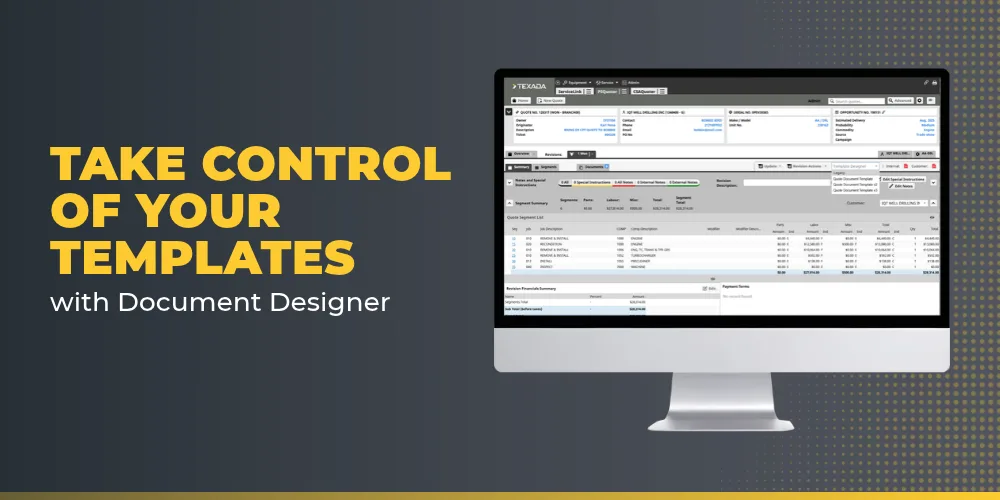
Today I’m excited to introduce Document Designer, a self-service template management tool built directly into your Parts & Service Quoting (PSQ) application.
The problem we set out to solve
Until now, changing anything on a customer-facing document — updating terms and conditions, adjusting formatting, swapping in a new logo — meant opening a support ticket with Texada and waiting.
For a simple layout change, that turnaround could stretch into weeks.That’s time your team doesn’t have when a quote needs to go out today.
Document Designer removes that dependency entirely.
Your administrators can now create, edit, and manage templates for quotes, service tickets, and contracts on their own, in-house, whenever they need to.
What Document Designer gives you
Total autonomy and faster edits.
Update terms, formatting, or branding instantly. What used to take weeks now takes hours, because the control sits with your team instead of a support queue.
Quoting stays entirely native to Texada.
Your reps already build quotes inside PSQ. Document Designer keeps them there — no more exporting large quotes to PandaDoc, Word, or any other outside tool. Everything lives in one place, with your full quote history intact.
No line-item limits.
Legacy tools capped quotes at 2,855 line items, which meant the largest machine and powertrain rebuilds had to be handled outside the system. Document Designer removes that cap completely so no matter the size of the configuration, your quote stays inside Texada.
Consistent, protected branding.
Because templates are managed centrally, every rep across your dealership works from the same approved layouts and legal language. That means fewer manual errors and consistent branding on every document that reaches a customer.
How it works
Administrators design and manage the base templates in the embedded editor. Once a template is saved, it’s instantly available to your reps in the PSQ dropdown; no waiting, no re-deployment.
Reps simply select the approved template they need and generate a clean, universal PDF that opens in any browser or viewer and can be sent to customers as-is.
Access is role-based: admins have full design authority, and frontline reps generate from the approved set. That balance keeps your documents consistent while giving the right people the control they need.
Getting started
Every dealership gets five templates at no additional cost. If your operation needs more, additional templates are available in packs.
Document Designer also fully replaces the older tools some dealers have relied on — Altova, Templify, ReportViewer, and Jasper — bringing everything into one place inside Texada.
This is the first step in a broader rollout, starting with PSQ and expanding across the Cloudlink platform over time. We built Document Designer because you told us what you needed, and I’m looking forward to seeing what your teams do with it.
To get started or learn more, reach out to your Strategic Account Manager.