For heavy equipment dealerships, infrastructure jobs such as a highway expansions or major commercial developments aren’t just single sales – they are goldmines of long-term revenue streams. Large-scale construction projects involve multiple subcontractors, shifting timelines, and a continuous need for rentals, sales, and service.
The Projects feature in Equipment CRM is designed to give your dealership a competitive edge. Instead of tracking scattered leads independently, Projects allow you to aggregate every associated subcontractor, contact, sales activity, and piece of equipment under a single, centralized record. By maintaining full visibility into the scope and relationships driving a project, your sales and service teams can time their outreach perfectly, protect margins, and capture maximum market share.
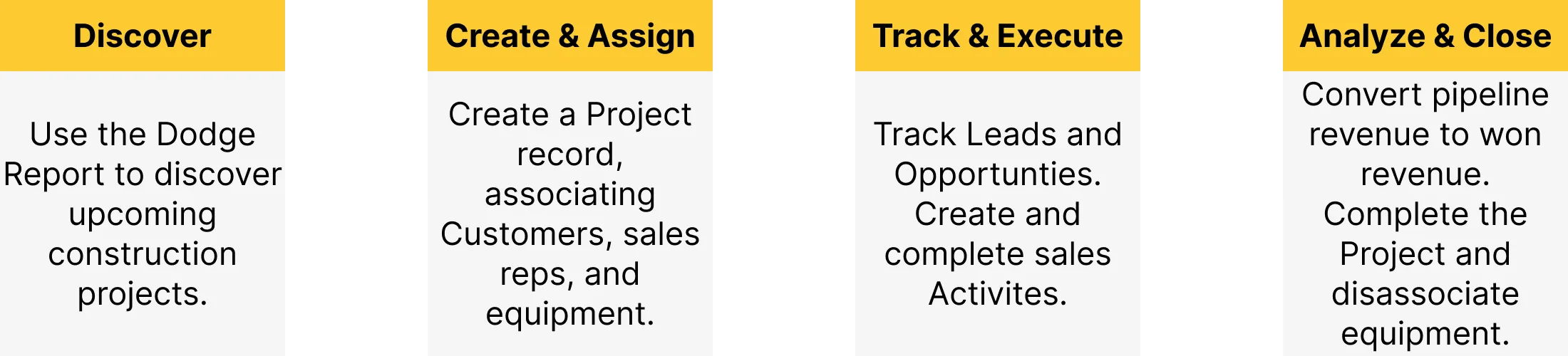
Managing a project through its lifecycle follows a natural, high-level progression within Equipment CRM:
Discover: Identify upcoming construction opportunities early using market intelligence data.
Create & Assign: Establish the Project record manually or auto-populate it using Dodge data. Associate the Project with Equipment CRM customers, contacts, and equipment records. Assign sales reps to own the Project.
Track & Execute: Quickly create Leads, Opportunities, and sales Activities based on Project information. Track their progress and create follow-up activities.
Analyze & Close: Watch pipeline revenue convert to won revenue in real-time. Once the job wraps up, mark the Project as completed to automatically disassociate linked equipment.
Before a shovel even hits the ground, the Dodge Report integration helps your dealership spot new construction projects early.
This page lets you filter upcoming local and regional developments, view estimated valuations, and see which companies are already attached to the job.
When you find a project worth pursuing, you can convert it into an Equipment CRM Project with a single click.
The Projects List serves as your team’s main command dashboard. From here, executives and sales reps can easily browse, search, and filter active projects.
Crucially, the dashboard aggregates high-level financial health metrics – such as Pipeline Revenue (open opportunities) and Won Revenue (closed-won deals) – giving management immediate insight into the total value of their construction pipeline.
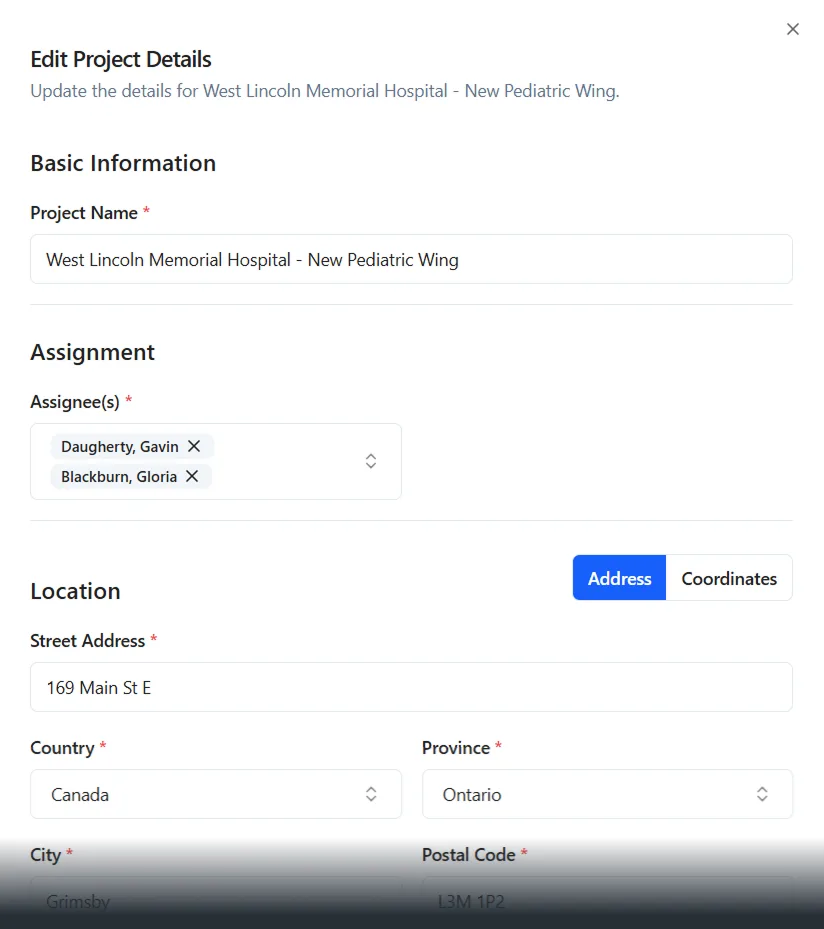
Whether starting from scratch or pulling pre-filled intelligence data directly from a Dodge project, generating a new Project record is fast and intuitive. The Create / Edit Project workflow ensures consistency across your data, prompting users to fill out target start dates, bid deadlines, project addresses, and project types (such as commercial or industrial).
The Project Details page is where your sales team executes day-to-day operations. It acts as a comprehensive, living file for the job site, divided into distinct tracking panels:
Companies & Contacts: List the general contractors and subcontractors tied to the Project, complete with their specific roles. Create Leads or sales Activities directly from their profiles.
Leads & Opportunities: Monitor every open deal associated with the Project and track the cumulative estimated revenue.
Customer Equipment: Keep tabs on exactly which pieces of Customer or competitor equipment are currently active on the job site.
Notes & Change Log: Leave tagged notes and attachments for your team, and reference a transparent change log to see how the Project record has evolved over time.
The Change Log is a powerful feature that automatically tracks every modification made to a Project record, creating a searchable audit trail. Accessible from the Project Details page, this screen displays all updates in chronological order, capturing the exact time, the user responsible, and a summary of the change.
Use the Category buttons at the top of this page to filter by specific categories of changes, such as equipment associations or activities. Changes belonging to the Project category can be expanded to display exactly what information was changed.
To ensure the feature mirrors your dealership’s unique operational style, administrators have access to robust back-end configurations.
Through Project Settings, authorized users can customize system dropdowns—including Project Statuses, specialized Subcontractor Roles, and Note Tags. Administrators can also configure Dodge field mappings so that Projects created from Dodge align with your Equipment CRM naming conventions.
Texada is proud to offer API support for Projects in Equipment CRM! These APIs allow your IT team to connect their external reporting systems – such as PowerBI – to your Equipment CRM data.
Watch the attached video to learn about the API endpoints you can use to retrieve Project data.